
Flexible sessions
Custom durations from 1–720 minutes, with a saved default.
A Particular Systems product
Start a timed session and Ward keeps distracting websites outside it—across Safari and Chrome, with rules precise enough for the way you actually work.
01One quiet menu bar utility
02Two protected browsers
∞Your rules, your machine
The commitment loop
Ward stays out of the creative process. It only guards the boundary around it.
Choose a session from one minute to twelve hours. Keep it flexible, or lock it before you begin.
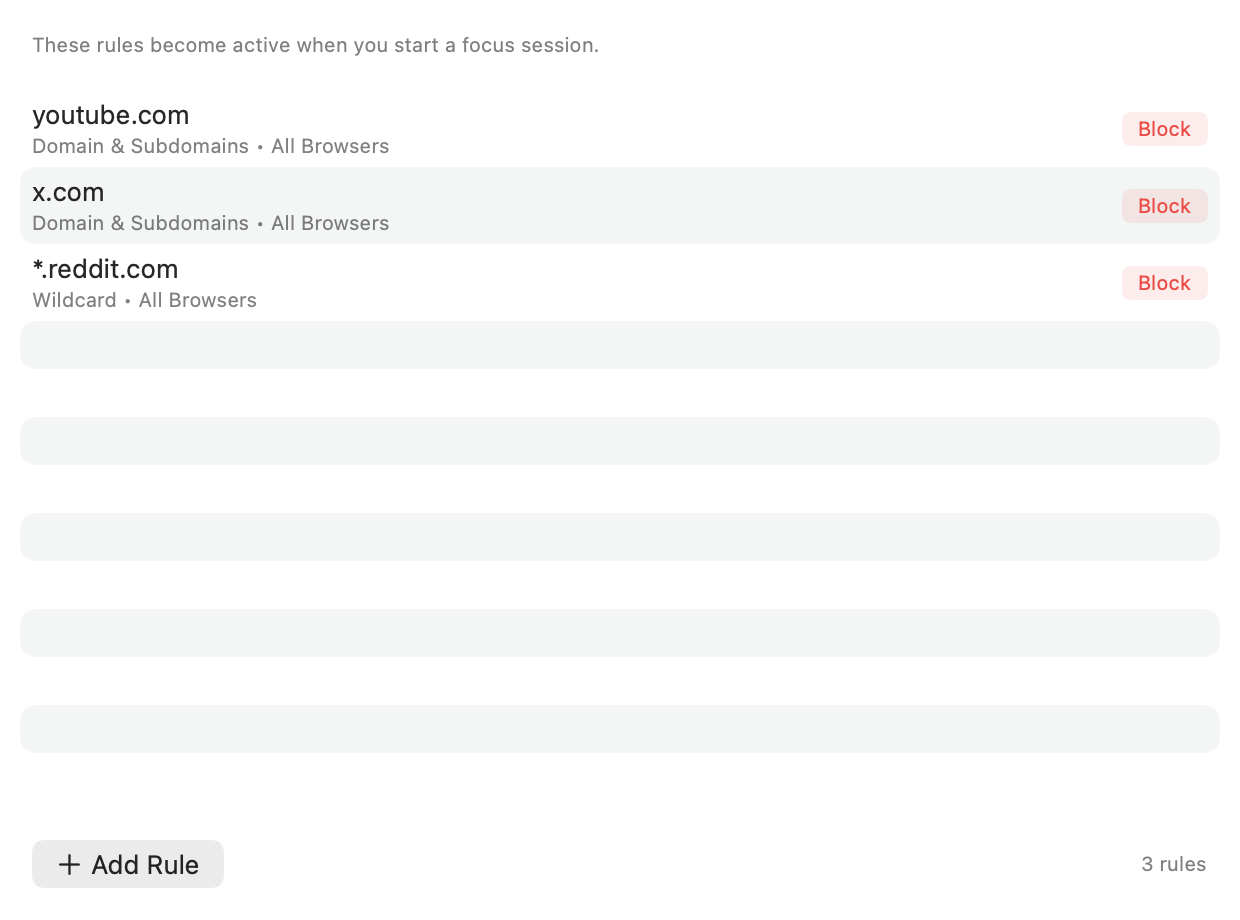
Block a domain, one host, every subdomain, or a precise URL. Target Safari, Chrome, or both.
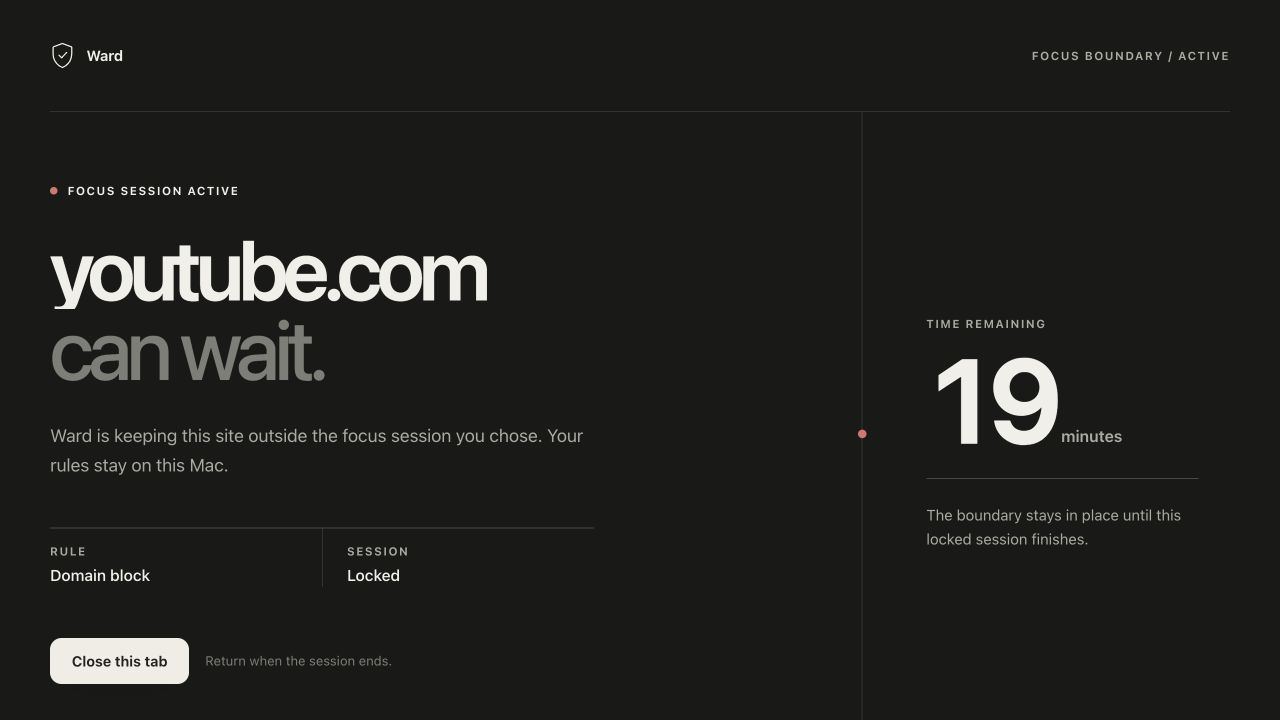
Ward intercepts matching navigations locally and replaces the distraction with a clear stop.
Review completed sessions, emergency unlocks, browser health, and useful diagnostics.
Precise, not blunt
A social network can be off-limits while a specific work page remains available. Ward’s matching model understands domains, hosts, wildcard subdomains, exact URLs, blocks, and allows.
Blocked in Safari + ChromeEvery subdomain matches this boundary.
Locked when it matters
A locked session cannot be ended early through the normal controls. Rules can become stricter, never softer. When life genuinely intervenes, emergency unlock adds a deliberate cooldown and records the outcome honestly.
Additive onlyNew blocks are welcome mid-session. Relaxing the boundary is not.
Friction with a reasonEmergency unlock remains possible without making the easy exit invisible.
The boundary is visible
Ward reports the current session, time remaining, and browser health from the menu bar—then makes a blocked navigation unmistakable.
Quietly complete
Custom durations from 1–720 minutes, with a saved default.
Commit before starting, with a deliberate emergency path.
Block or allow at domain, host, wildcard, and exact-URL level.
Target either browser independently, or protect both together.
Know when a browser is healthy, unknown, or degraded.
Review outcomes and export useful local troubleshooting detail.
LOCAL / 001
Privacy is architecture
Sessions, rules, history, and diagnostics live on your Mac. Browser integrations read policy from Ward’s local service. There is no cloud account waiting behind the menu bar.
Good questions
The browser shows a local Ward page in place of the requested site. Your active policy remains owned by the macOS app.
Not through the normal stop control. An emergency unlock remains available after intentional cooldown and confirmation, and the outcome is recorded in history.
No. Ward’s persistent state is local-only, with no cloud account or analytics service required for enforcement.
Ward targets Safari and Google Chrome on macOS 14 or newer.
Ward is currently built from source. Chrome has an automated QA path; Safari can be tested as a temporary extension without an Apple account, while signed packaging remains a release gate.